Cloudflare Integration
Connect Cloudflare Registrar to Domain Collective
Cloudflare Registrar requires an API token and your account ID.
Important note
Cloudflare does not allow custom nameservers when they are your registrar. Domain Collective can display nameservers but cannot change them. DNS record management is supported.
Video walkthrough
Get API credentials
Step 1: Find your Account ID
- Open the Cloudflare dashboard.
- Select the account that owns your domains.
- Copy the Account ID from the right sidebar (Overview section).
Step 2: Create an API token
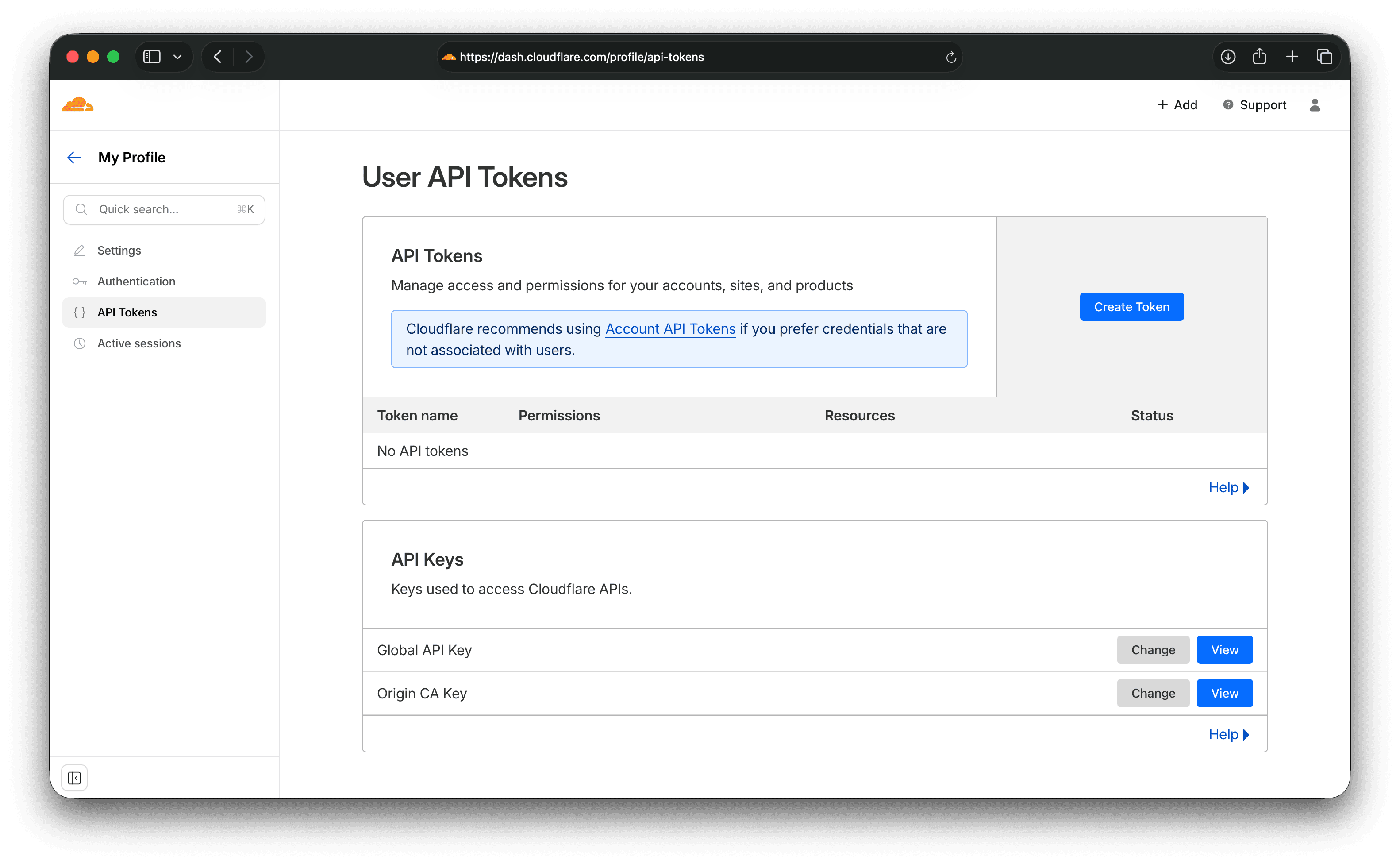
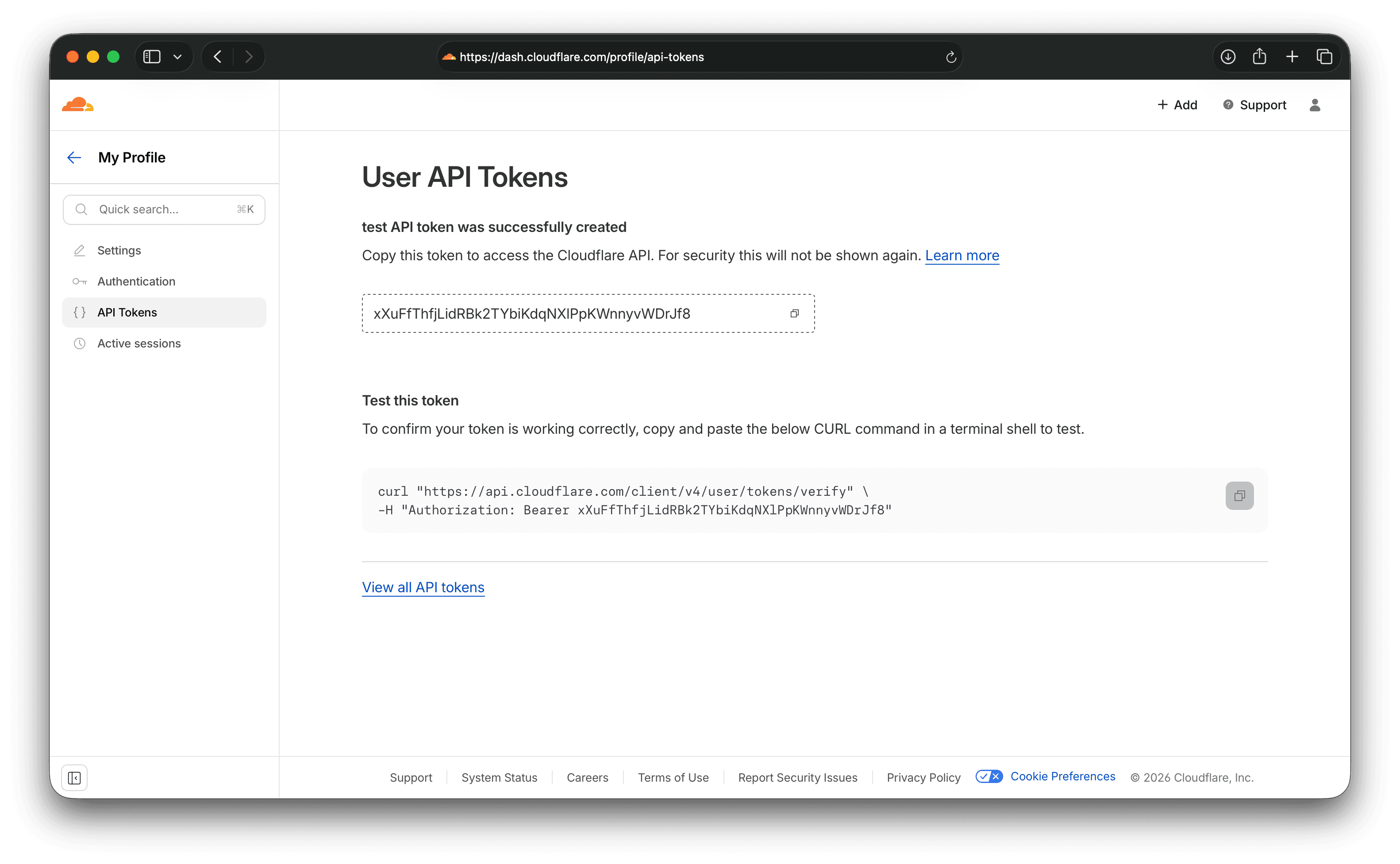
- Go to Profile → API Tokens and click Create Token.
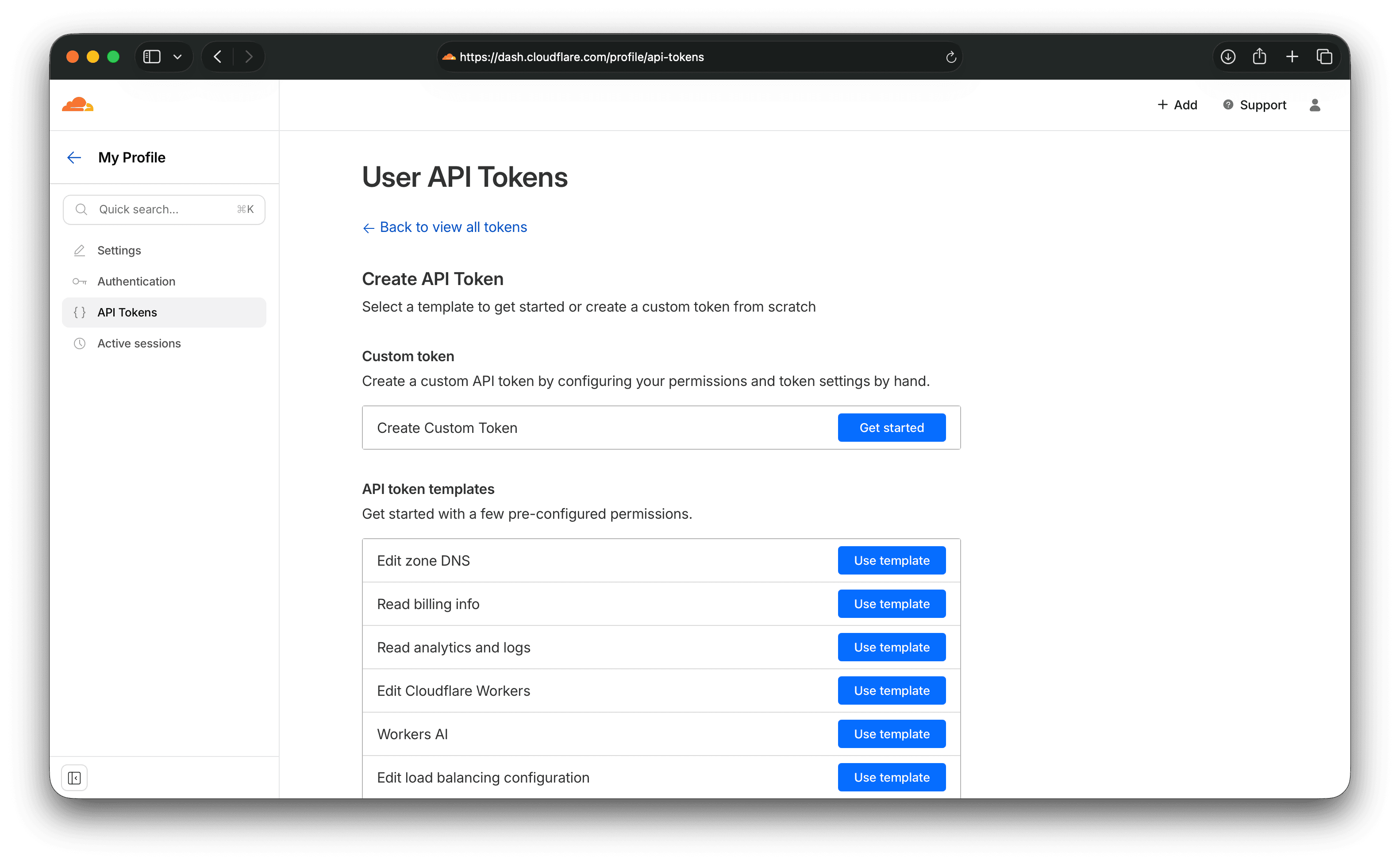
- Start from a template or choose Custom token.
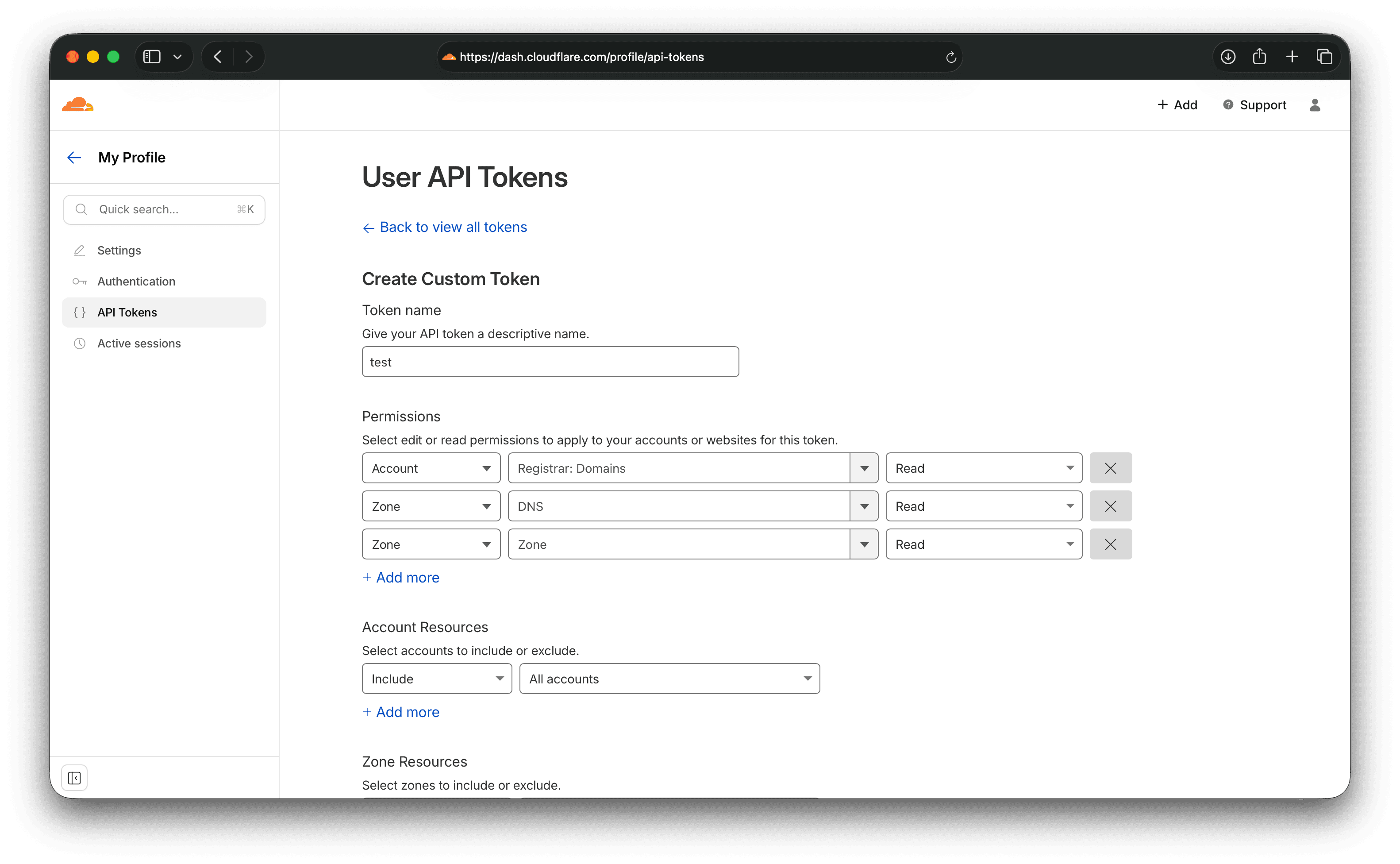
- Set permissions:
- Account → Registrar: Read
- Zone → DNS: Read & Edit
- Zone → Zone: Read (optional)
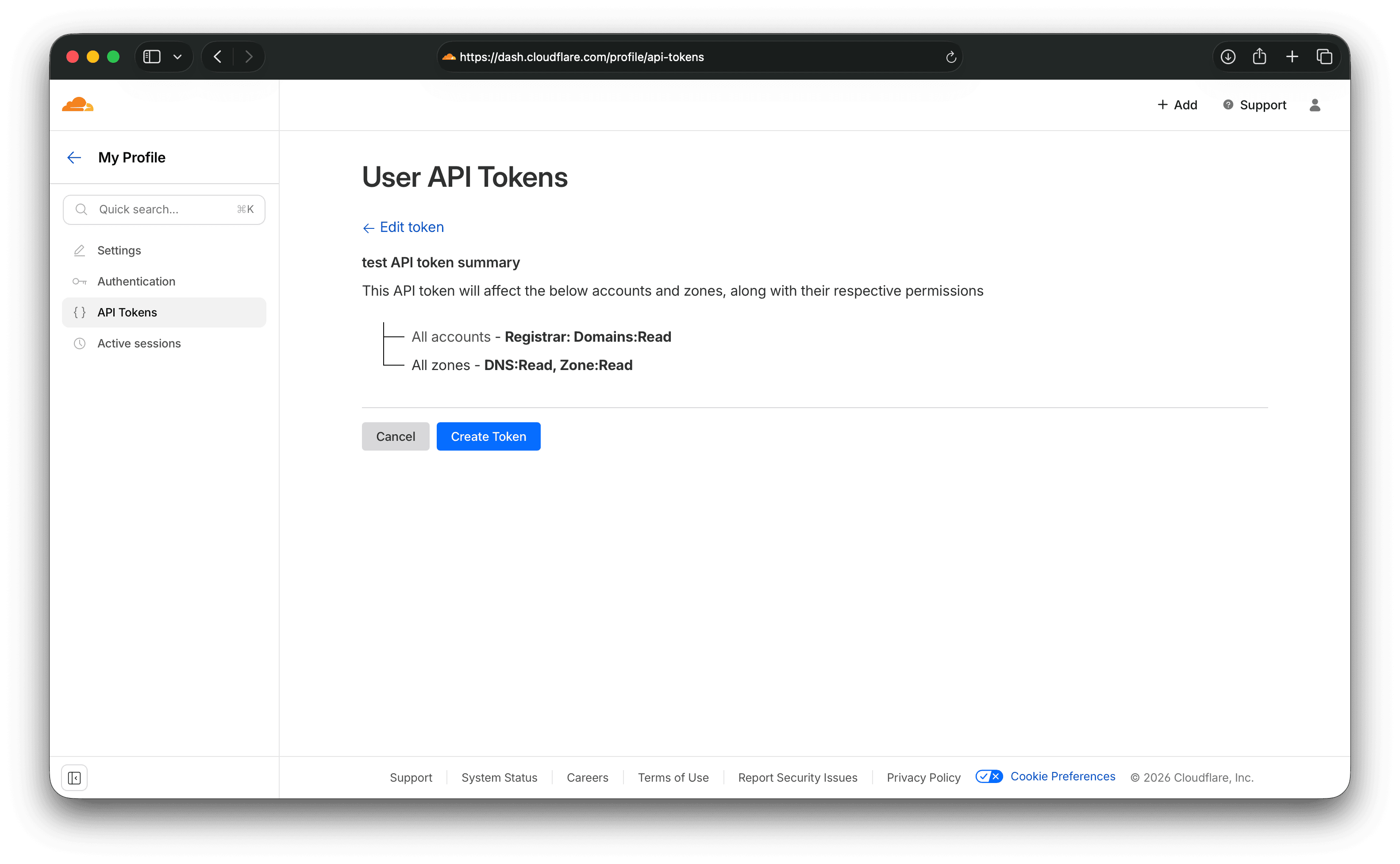
- Select the account and create the token.
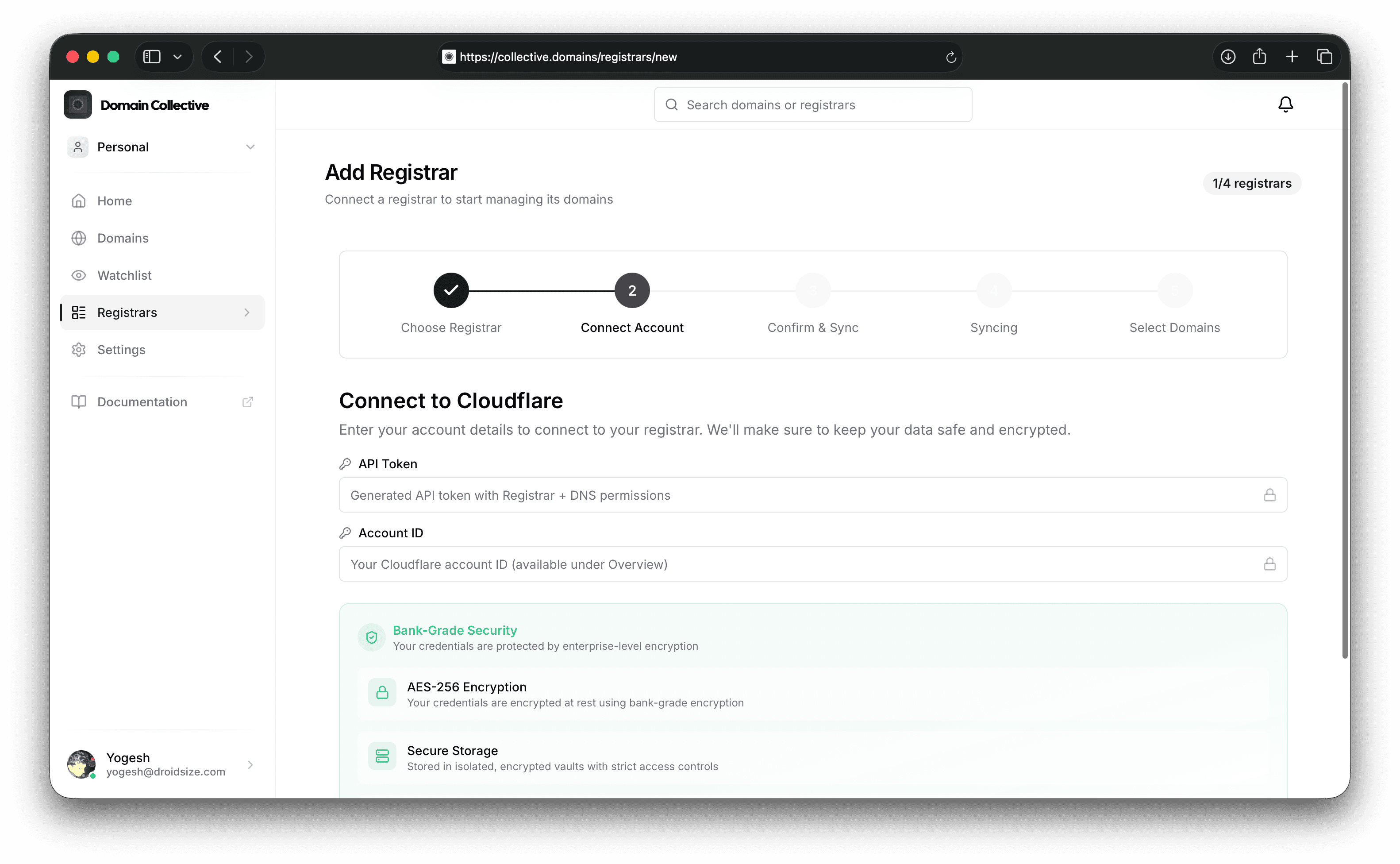
Connect to Domain Collective
Use the API Token and Account ID in the integration form.
Last verified: February 2026